Event photo delivery for studios

Every guest gets their photos. Your studio gets the credit.

Upload the shoot and share one link. Each guest takes a selfie and finds the photos they’re in, inside a gallery branded as your studio.

Early access · We set up your first event with you

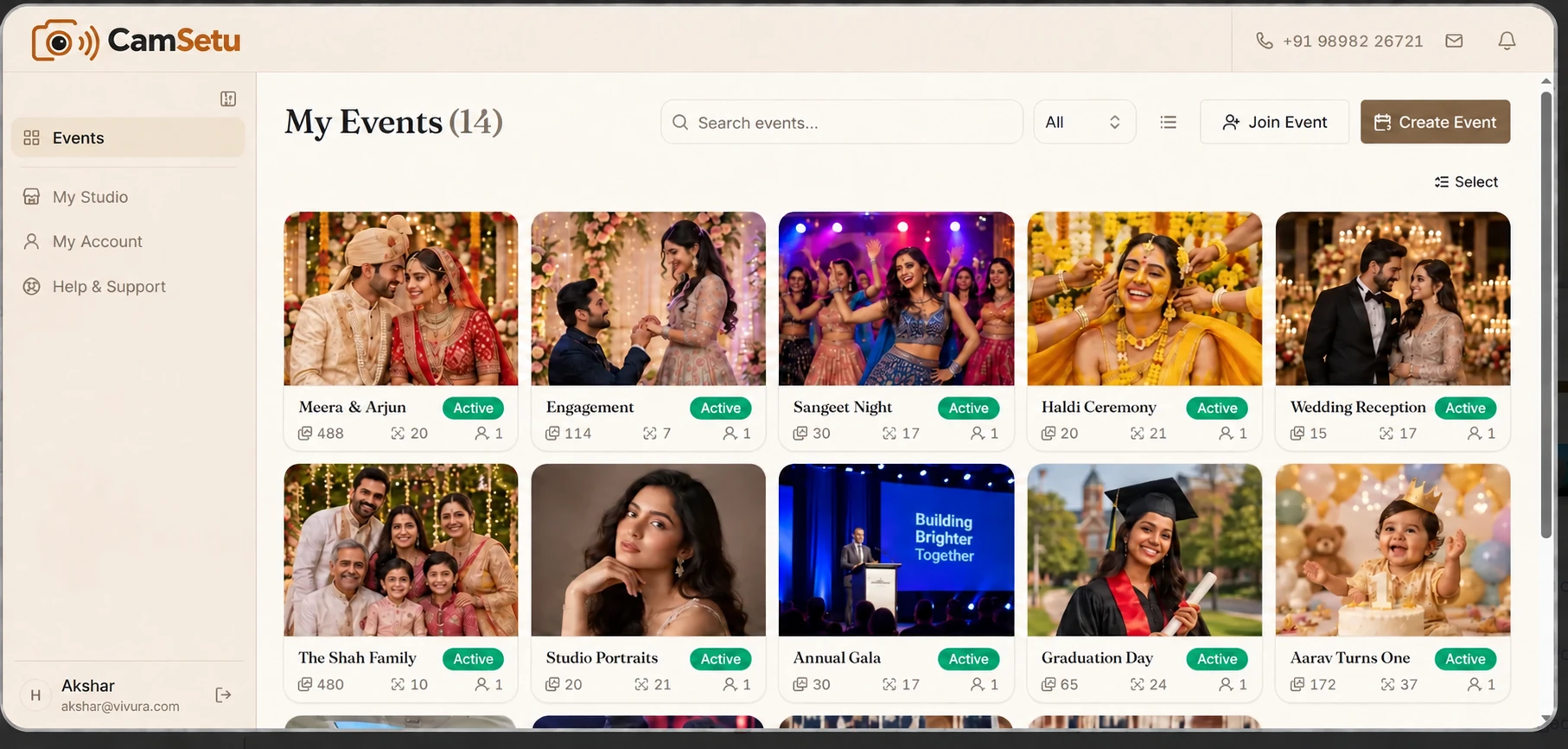
CamSetu studio dashboard with event thumbnails and delivery status counts.
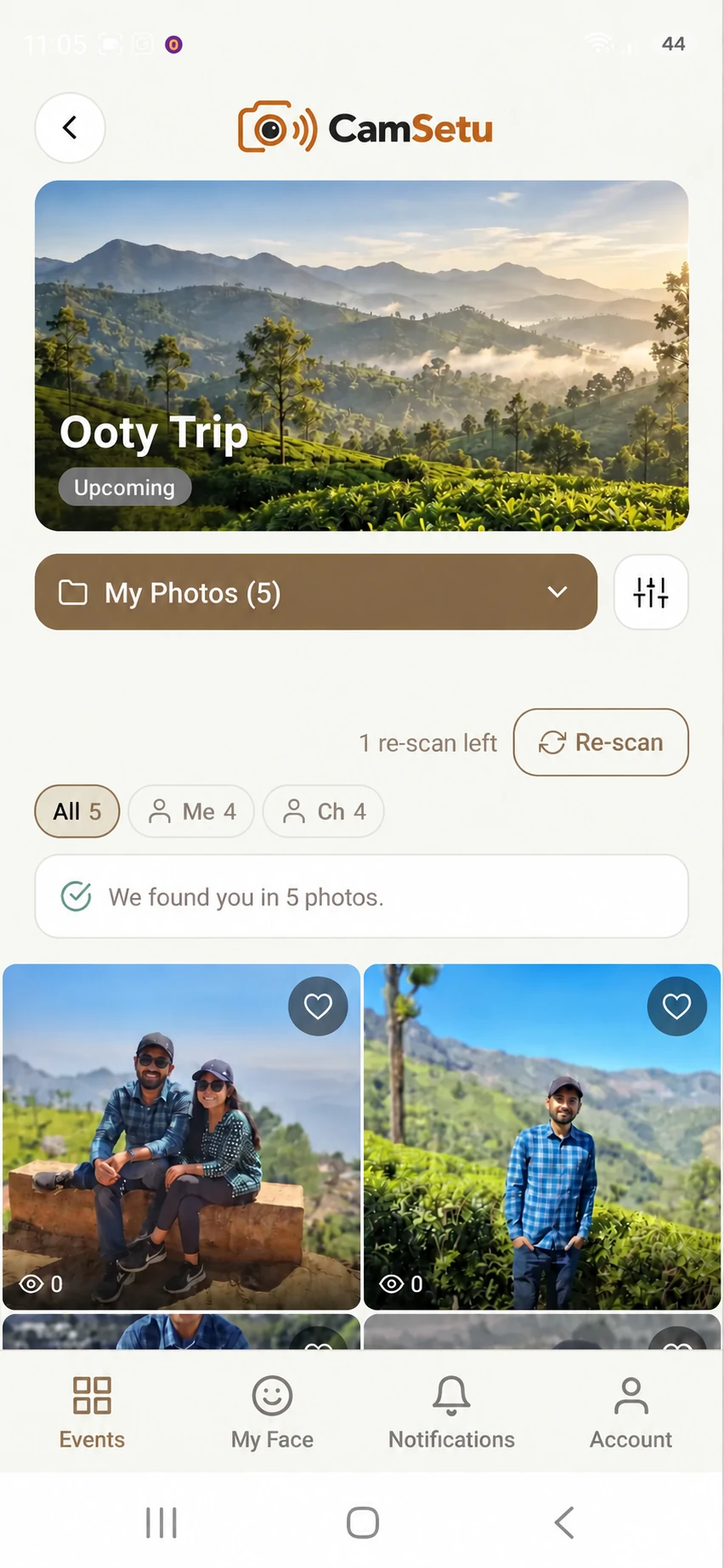
CamSetu mobile gallery showing a guest's matched photos.
Web studio and guest mobile, shown with demo data.

Inside CamSetu

From the shoot to every guest’s phone.

One workspace for the studio. One link for the guests.

Face matching

No more scrolling through the whole event.

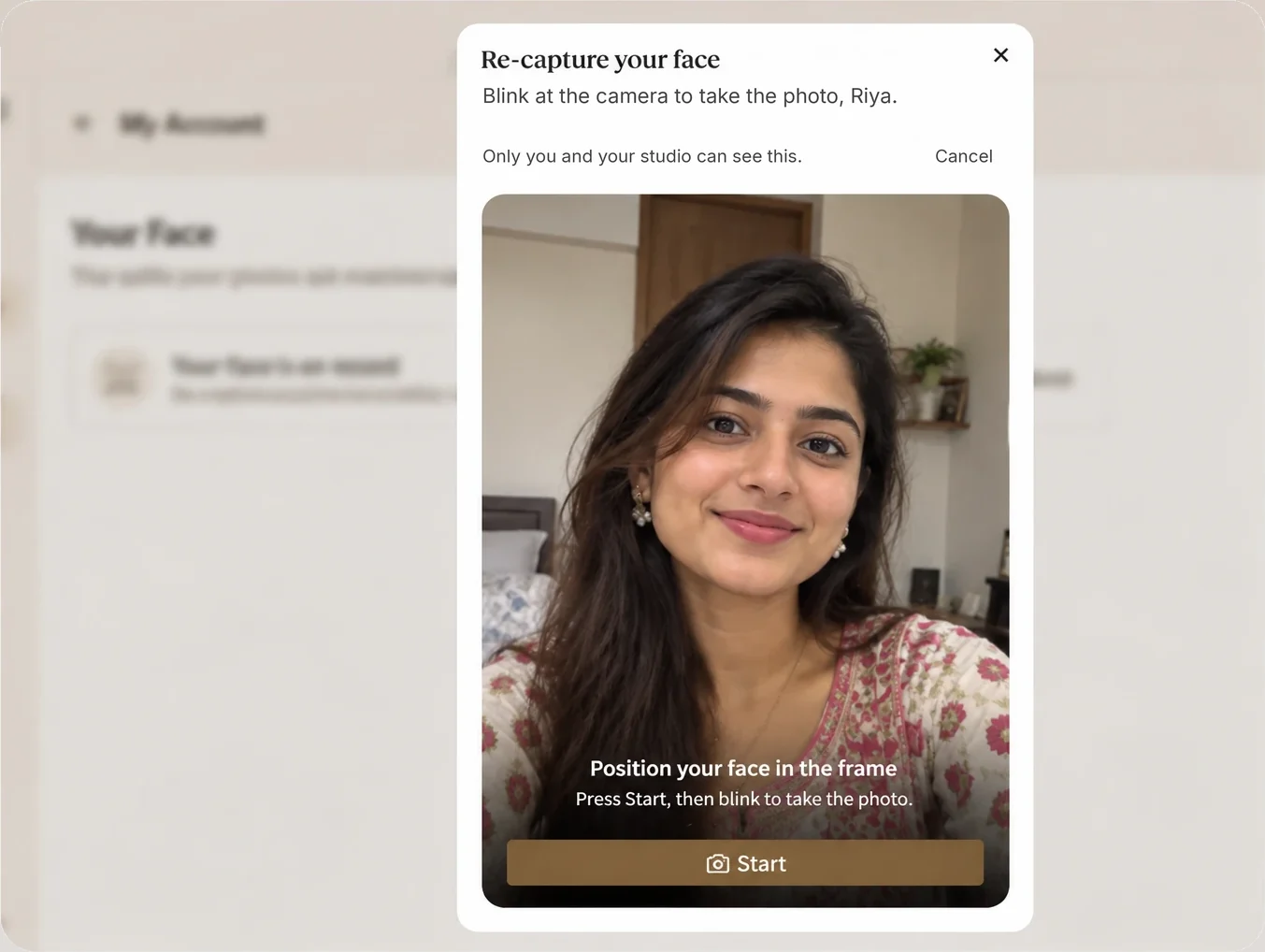
A guest blinks once at the camera and sees just the photos they’re in. Nothing to search.

  • Starts only after the guest agrees
  • Optional — a guest can skip it and still open the event
  • Face data can be removed at any time
How face data is handled
The selfie screen: the guest positions their face in the frame and blinks to take the photo.

Upload and organise

A working gallery, not a file dump.

Bring the shoot in from your browser and keep it in the order your team already works in.

  • Photos, videos and iPhone HEIC
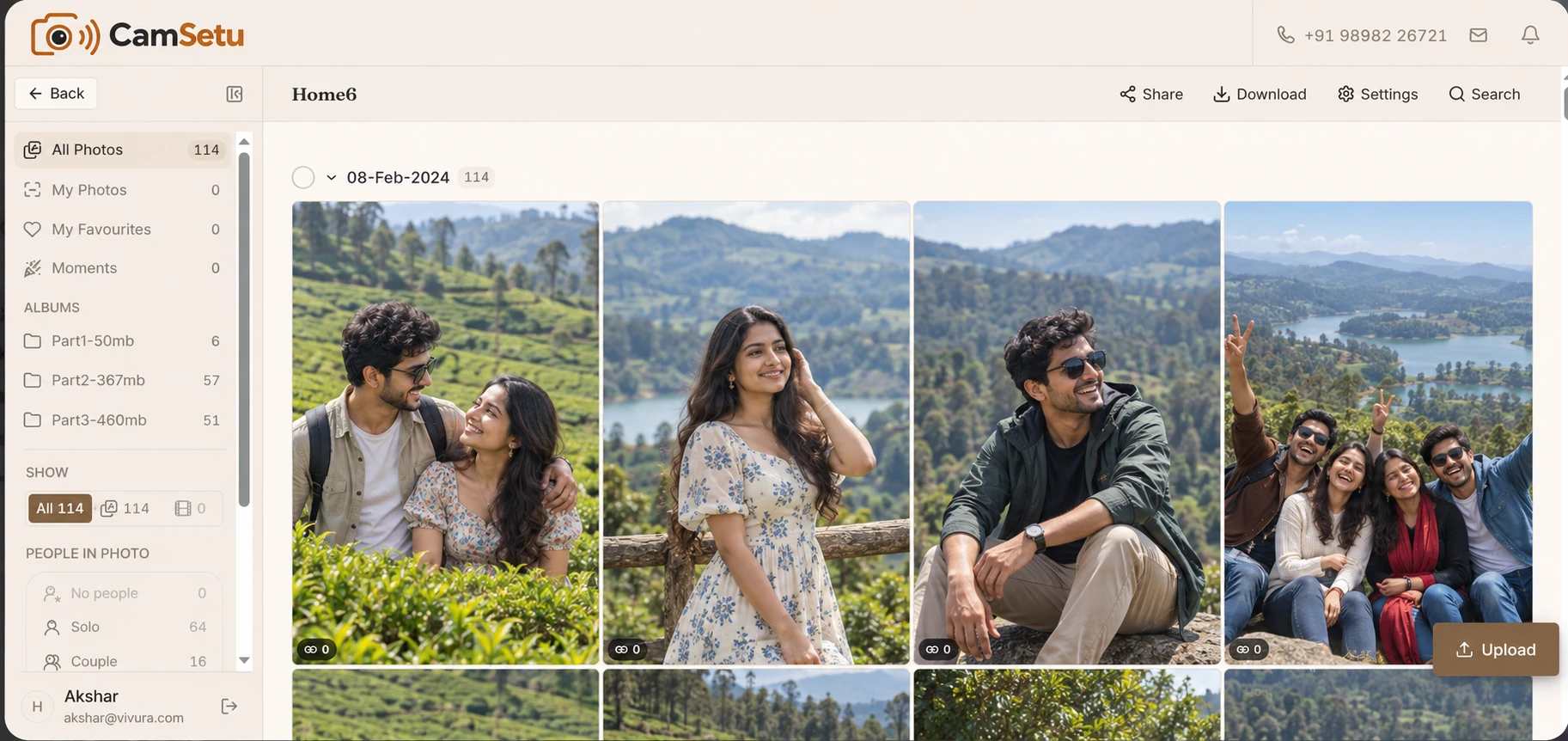
  • Albums, bulk moves and archive
  • Filter by solo, couple, group or no people
Upload features
An event gallery with albums, people filters and a grid of photos.

Access

One link. You decide who gets in.

Share the invite link or QR code on WhatsApp, and set the rules for each event.

  • Public, private or passcode-protected
  • Guest list by mobile number or CSV
  • Turn downloads off and originals are withheld
Delivery features

Your brand

Every gallery carries your studio’s name.

Guests see your logo and contact details on the invite and in the gallery.

  • Four event designs to choose from
  • Up to five logo or text watermarks, on for the events you choose
  • A public portfolio page, when you publish it
Branding features

And the rest

Everything a studio needs, in one place.

  • Moments — a shared album for hosts’ and guests’ phone photos
  • Flipbooks with music, shared as a link
  • Reels from your photos and clips, with music
  • Client favourites the studio can see
  • Faces grouped by person, with names and relations
  • Event admin rights for the couple or host
  • Team roles and an activity log
  • Auto-delete date, with reminders first
  • GPS location removed from photos and videos on upload

See every feature

Why CamSetu

Better than sending a folder link.

What changes when the event goes out through CamSetu.

WhatA shared folder linkCamSetu
Guests find their photosScroll through everythingOne selfie
Your studio’s brandingNot shownOn every gallery
Who can open itAnyone with the linkPublic, private or passcode
Photos grouped by personNoAutomatically
Guests’ own phone photosSeparate WhatsApp forwardsOne shared Moments album
Clearing it up laterBy handAuto-delete date, with in-app reminders

How it works

From your camera to their phone in four steps.

  1. Upload the event

    Create the event and bring in the shoot.

  2. Share one link

    An invite link or QR code, on WhatsApp or print.

  3. Guests take a selfie

    One blink, after they agree. Or they skip it.

  4. Their photos are ready

    In a gallery with your studio’s name on it.

Face data

A face is personal. It’s treated that way.

Read the privacy policy
  • Matching starts only after the guest agrees, and consent is recorded
  • Guests can remove their face data at any time
  • Leaving an event deletes their face matches for that event
  • Videos are never scanned for faces

Get the apps

CamSetu on your phone and your computer.

Guests find their photos on the phone. Studios upload a whole shoot from the desk.

Desktop

For studios

Bulk upload a whole folder of event photos, or let Live Folder send each new shot to the event as your camera saves it.

Need help setting up? Talk to us

Questions

What studios ask first.

Do my guests need to download an app?

No. On a phone, the invite link opens the CamSetu app, or offers it from the app store if it isn’t installed. A guest who would rather not install it can carry on in the browser, or enter the event code at camsetu.com/join.

Does every guest have to take a selfie?

No. The selfie is optional. A guest who skips it can still open the event, and can add a selfie later from their settings.

What happens to a guest’s selfie?

It stays on the guest’s account until they remove it or delete their account. It is used to find their photos and is never added to a gallery. It does become their profile picture, which you and the event’s hosts see in the guest list. Theprivacy policy has the details.

Can I stop guests from downloading?

Yes, for photos. Turn downloads off and the original file is withheld, not just the button hidden. Videos cannot be download-protected yet.

Does it handle video?

You can upload videos and guests can play them. Videos are not watermarked and are not scanned for faces.

Is GST included in your prices?

Prices are shown before GST. Each plan shows the 18% GST amount beside its price.

Can I start today?

CamSetu is in early access while the studio panel is tested. Leave your details on the contact page and we will get in touch.

Ready for your next event?

Tell us about your studio and we’ll set you up.